Take and make calls, read texts, mirror notifications, transfer files, and sync your clipboard, all without lifting your phone. Everything stays on your local network.
7-day free trial · Beta users get 30 days · Yearly or lifetime
No cloud
Local network only
Android 13+ · macOS 15+
Two apps, one connection.
A lightweight background service on your Android and an app on your Mac, designed to stay out of your way.
macOS App
WiFi
WiFi
Android App
Everything you need, but no overhead
Six tightly integrated features that keep your hands on the keyboard and your eyes on the work.
Call Management
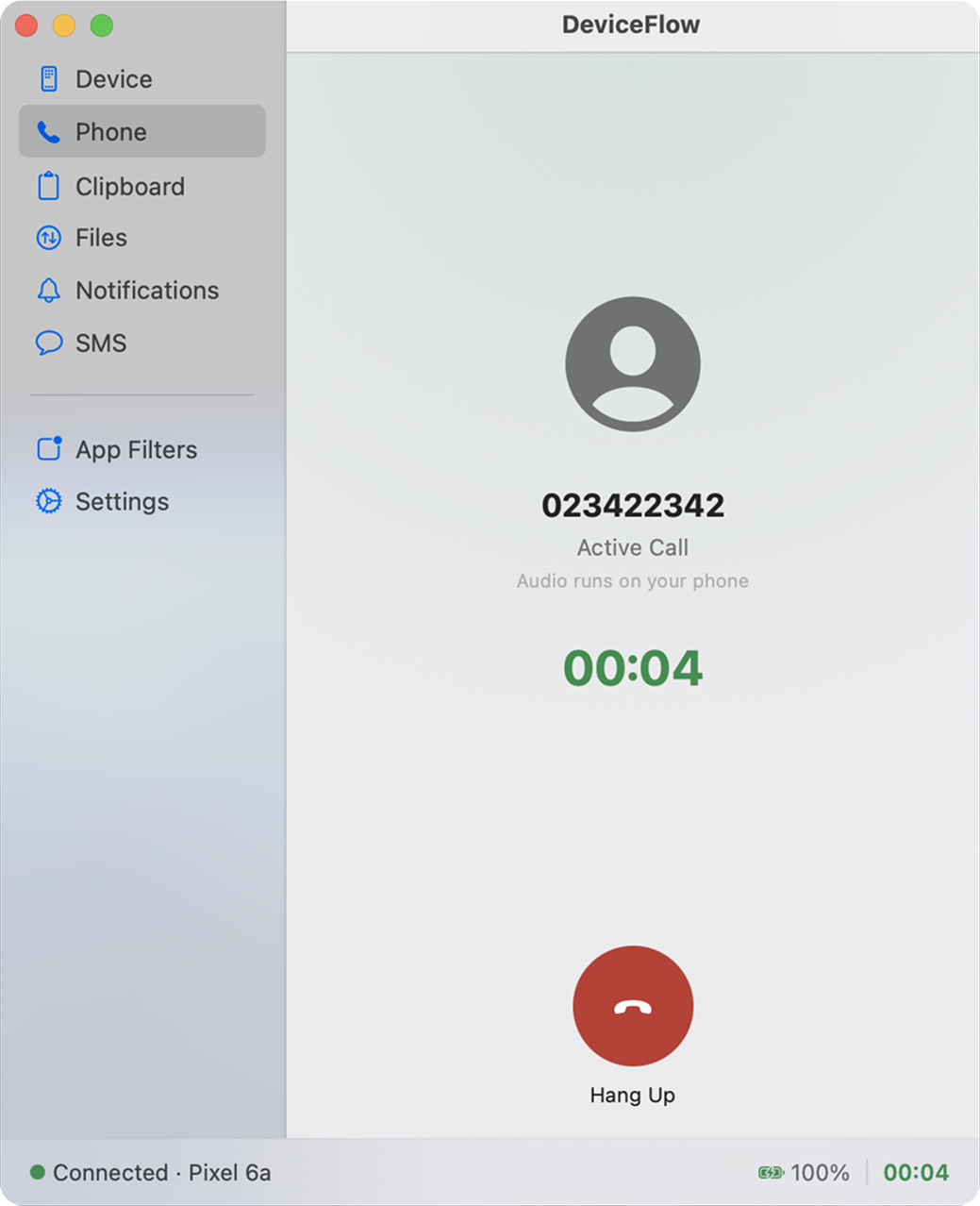
When your phone rings, a popup appears on your Mac with Answer, Decline, and Ignore options. Hang up active calls from your desk, and your call log is kept automatically.
Outbound Dialing
Type any number into the Mac dial pad or click one on a website. Your Android phone places the real cellular call through your normal carrier, with no VoIP and no extra charges.
SMS Coming soon
Browse your full message history on the Mac, read conversations, and send replies in real time, without ever touching your phone. New messages arrive instantly.
Notifications
Android notifications from WhatsApp, Telegram, Gmail, and more appear as native macOS notifications. Reply inline without switching apps. Configure which apps get through.
File Transfer
Drag a file onto the Mac app to send it to your phone. Your phone can push files back too. Transfer progress is shown inline, and every file gets a SHA-256 integrity check.
Clipboard Sync
Copy anything on your Mac and it instantly appears on your Android clipboard, and vice versa. It works with text and binary content, automatically, with no extra steps.
Up and running in three steps
Pairing takes about a minute once.
Step 1
Install both apps
Download DeviceFlow for Android (APK) and the app for macOS. Both are lightweight and start automatically at boot.
Step 2
Scan the QR code
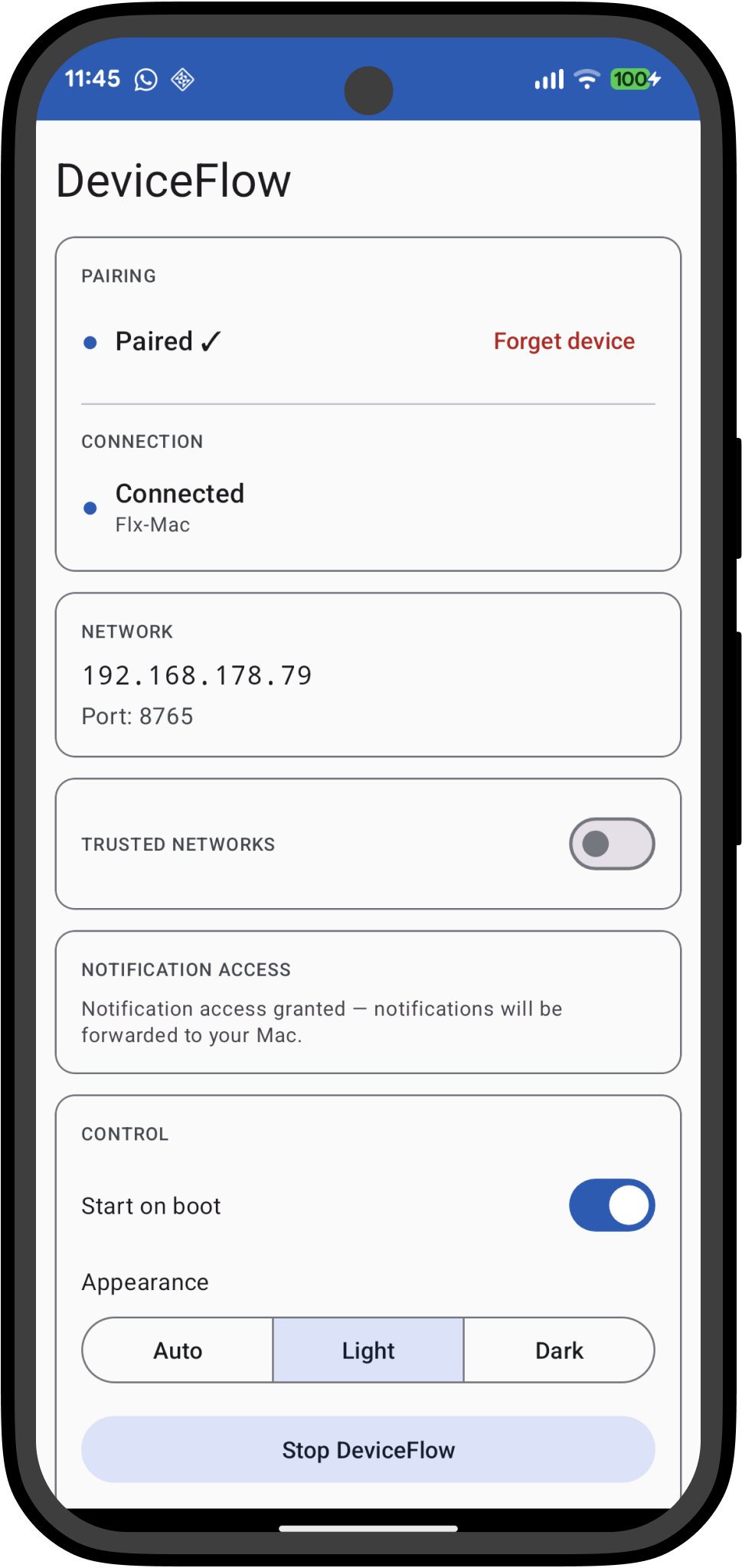
The Android app generates a QR code. Scan it with the Mac app, and a Bluetooth handshake confirms the pairing without requiring accounts or long codes.
Step 3
You're connected
Both apps find each other on WiFi automatically. The menu bar icon reflects the connection state at a glance, and it reconnects automatically if the link drops.
Built for people who work at a desk
DeviceFlow is for anyone who uses their Mac for serious work and wants their phone to get out of the way.
Focus without phone interruptions
Your phone stays face-down. When a call comes in, you see it on screen and decide in one click, without breaking your concentration.
One desk, two devices
Reply to a WhatsApp message, send an SMS Coming soon, and check a notification — all from the Mac keyboard and trackpad. Your phone is the radio, your Mac is the interface.
Files without cables
Drag a photo, document, or APK from your Mac to your phone in seconds. No USB cable, no AirDrop, no cloud upload. Integrity-verified transfer over your local network.
Simple, transparent pricing
Try it free for 7 days with no payment required. Beta users get 30 days.
All features — calls, notifications, files, clipboard, SMS Coming soon
Android + macOS apps included
All future updates included
7-day free trial included · Beta users get 30 days · 14-day money-back guarantee · Incl. VAT where applicable
Security
Private by design, not by policy
DeviceFlow keeps your data on your devices and your network. There is no server to breach because there is no server.
Encrypted end-to-end. All traffic between your Mac and phone is encrypted. Nobody else can read it.
Token-based authentication
A 32-character cryptographically random token is generated once on Android. Every Mac connection must present it. Verified with timing-safe comparison — never plain string equality.
No internet access on Android
The Android app binds exclusively to your LAN interface and does not request the INTERNET permission. Your data cannot leave the local network.
Secure credential storage
Tokens are stored in Android EncryptedSharedPreferences and in the macOS Keychain. Never in plain files or logs.
Rate limiting & input sanitization
Outbound calls are rate-limited (3 per 60 seconds). Phone numbers are sanitized before dialing. Oversized packets close the connection immediately.
Known limitations to check before you buy
DeviceFlow works well for most setups, but there are a handful of current constraints we want to be upfront about. That's what the free trial is for.
One phone per Mac — single device pairing only. Multi-device support is planned for a future release.
Manual install required — not on the Play Store or Mac App Store yet. Android requires enabling "Install unknown apps"; Mac requires a one-time security override.
Call control on custom Android builds — Answer/Decline work reliably on stock Android (Pixel). Heavily customized builds like Samsung OneUI or Xiaomi MIUI may not support call control. Just try it out in your trial.
KDE Connect Alternative for Mac
DeviceFlow vs KDE Connect
Both connect your Android phone to your Mac over WiFi. DeviceFlow is the one built specifically for macOS.
Feature comparison between DeviceFlow and KDE Connect for connecting Android phones to Mac
DeviceFlow
KDE Connect
Mac platform
Unofficial, incomplete
Native macOS UI
Menu bar integration
Zero-config pairing
Firewall rules often needed
Answer/decline calls from Mac
Notification mirroring
Clipboard sync
Local network only
Open source
Price
30-day free trial, then paid
Free
A native Mac app
DeviceFlow is written in Swift and lives in your menu bar and dock. It follows macOS conventions for notifications, permissions, and system integration because it was designed for macOS from the start.
Pairs without touching firewall settings
DeviceFlow pairs by scanning a QR code. After that it finds your phone automatically on the local network. No port forwarding, no firewall exceptions, no manual IP address entry required.
Answer and decline calls without picking up your phone
When a call arrives on your phone, a popup appears on your Mac with Answer, Decline, and Ignore buttons. The call audio stays on the phone. You respond without looking at the device.
KDE Connect is a well-built open-source project. On Linux or Windows it's the obvious choice. DeviceFlow is for people who work on Mac and want Android integration that feels like it belongs there.
Closed beta · Limited spots
Get early access today.
Join the closed beta and start using DeviceFlow for free. You get the Mac app and Android app with a 30-day trial and no payment required.
We'll send you the download links to your inbox.
You're on the list!
We'll send your download links within 24 hours.
Your phone deserves a healthy Mac connection.
Join the beta and use DeviceFlow free for 30 days. If it works for you, keep it on a yearly plan or as a lifetime purchase.


 DeviceFlow